
The Best Cloud Options Come in Pairs
- staysha9
- Oct 2, 2021
- 4 min read
Since the COVID-19 pandemic, many of us have had to adapt to new ways of life, and it should come as no surprise that working remotely is at the top of that list. As someone who has experienced first hand what it's like to work from home, I have realized how essential it is to have a dependable cloud storage.
With dozens of computing services out there for "the cloud," how do you make the decision on which is best for you? If you're like me, selecting the platform that offers the most "FREE" perks, such as storage space, seems like the way to go. It might not be what I need, but I often trick myself into believing that whichever holds the best deal has the greater value. For this reason, I wanted to provide you with my top two choices for cloud storage (beyond just the number of free GB) and give you the run down on how each could work for you. I have also included CEO of Cloudwards, Mauricio's "How to Get the Best for Free" video to get us started.

Google Drive
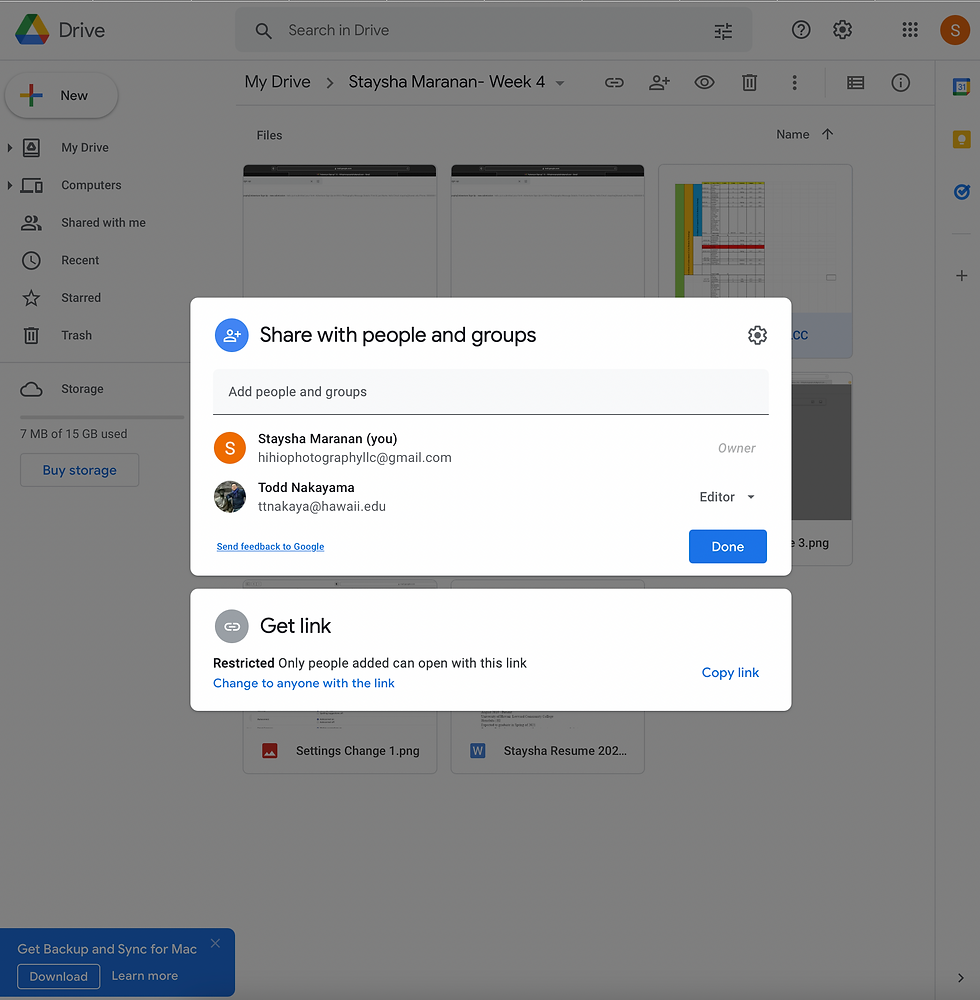
With Google Drive, from the moment you sign up for a google account, you get an array of office suite options such as Docs, Sheets, Slides, and many more, along with 15 GB of free storage. This makes for harmonious integration of all Google Doc products meaning that it not only allows you to create and edit documents, but share those files with others to collaborate in real time. Basically, multiple people can work on modifying any document created in Drive at the same time.
If you find yourself on a budget, like myself, and rely on the free internet that places like Starbucks, Barnes & Nobles, or Target provides, 9 out of 10 times you are rushing to complete projects before time runs out or the store closes. Don't worry! You can access and edit files and folders offline with "offline mode" which will automatically sync the new, updated version once you are back online. Another awesome thing that Drive offers us ballers-on-an-budget is the accessibility to over 150,000 FREE apps and add-ons that can customize and streamline for a more efficient Google suit experience. But be wary, many of those out there are 3rd party add-ons, so it's always best to do some research prior to downloading. Stay away from the add-ons that have very little users, low ratings, and negative comments.
Now, since Google Drive has a multitude of file types you can upload to the cloud (photos, videos, audio, documents), 15 GB can run out quickly. For an annual yearly payment of $19.99, you can up your space by 85 gigabytes. Below I have provided some insight on other options available.
| Trial | Basic | Standard | Premium |
# of GB | 15 GB | 100 GB | 200 GB | 2 TB |
Monthly $ | Free | $1.99 | $2.99 | $9.99 |
Annual $ | Free | $19.99 (savings of 16%) | $29.99 (savings of 16%) | $99.99 (savings of 17%) |
Includes |
|
|
|
|

pCloud
If you use pCloud, say "goodbye" to monthly and yearly payments and "hello" to lifetime subscriptions (though they still have these as available options). I don't know about you, but I have been using cloud storage since Dropbox first made it available in 2007 and have been a Google Drive subscriber since 2015. According to the listed prices, a Lifetime Premium Plus subscription with pCloud is a one-time payment of $350. So, why don't we have some fun and do some math to find out how much I've spent thus far and how much I would have saved?
$9.99/ month X 12 months = $119.88/ yearly
$119.88/ yearly X 6 years (2021 - 2015) = $719.28
$719.28 - $350 = $369.28
If this was available back then, I would have saved around 51% of the money that I've spent on cloud storage!

Moving on, pCloud offers the best data security out there by providing the pCloud Encryption service. You, the client, would create a CryptoPass key for any files you want to protect and the application encrypts the data which becomes unhackable!
This company actually held a 6 month long contest for a winning prize of $100,000 for anyone who beat their client-side encryption. Out of the 2,860 participants, not one person could crack the code. Check it out here if you don't believe me.
As a financial advisor, sensitive information is always being sent back and forth between me and my clients. I know that having the sense of security that encryption provides definitely makes sense when working remotely. pCloud also has an auto-sync feature that effortlessly updates files on every single digital platform including but not limited to Mac, Linux, Windows, Android, and iOS to make accessing and editing documents a breeze. You can also exchange and upload information with other cloud providers like Google Drive, Dropbox or other sites such as Facebook, and Instagram.
With this platform, you start with 10GB of free storage plus up to 4GB more if you refer some friends. If you are looking for a long term cloud storage and unlimited file size and speed capacity, this would be the investment to make.
| Free | Premium | Premium Plus | Family | pCloud Encryption |
# of GB | 10 GB (+4 GB w/ referral) | 500 GB | 2 TB | 2 TB | Unlimited |
Monthly $ | Free | $4.99 | $9.99 | N/A | $4.99 |
Annual $ | Free | $49.99 (savings of 17%) | $99.99 (savings of 17%) | N/A | $49.99 (savings of 16%) |
Lifetime | Free | $175 (savings of 65%) | $350 (savings of 65%) | $500 (savings of 65%) | $125 (savings of 73%) |
Includes |
|
|
|
|
|
When it comes to choosing which cloud storage is best for you, just remember that it's not a one size fits all kind of deal.
In my experience, I've learned how versatile and how many options there is when it comes to Google Drive. I have utilized this for the longest of all the cloud platforms out there and it has always met my basic school and business needs. Now, my personal preference is pCloud because of the type of career I have. The option of the military grade encryption to not only protect myself, but my clients is what draws me to it the most. For my leisure activities such as photography, the built-in video and media player with playlist options come in handy to get me in the right head space when doing my thing.
If you've tried Google Drive or pCloud, let me know what your thoughts are. What was somethings that you liked or disliked from either? Can't wait to hear your take on these two contenders. Thanks for reading!


Comments